How to Make 4-Digit Digital Tube Display Numbers?
1.Introduction
The 4-digit 7-segment digital tube is a very practical display device, and it is used for devices such as electronic clocks and score counters. Due to the low price and it is easy to use, more and more projects will use 4-digit 7-segment digital tubes. In this project, we will use the PLUS control board to control a 4-bit 7-segment digital tube to create a manual counter.
2.Components Required
|
|
|
|
|
|---|---|---|---|
|
Keyestudio Plus Mainboard*1 |
4-Digit Digital Tube Module*1 |
F-F Dupont Wires |
USB Cable*1 |
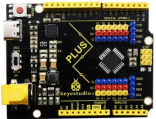


3.Component Knowledge

TM1650 4-digit digital tube: It is a 12-pin 4-digit tube display module with clock dots. The driver chip is TM1650 which only needs 2 signal lines to enable the microcontroller to control the 4-digit 8-segment digital tube. The control interface level can be 5V or 3.3V.
Specifications of 4-bit digital tube module:
Working voltage: DC 3.3V-5V
Maximum current: 100MA
Maximum power: 0.5W
Schematic diagram of 4-digit digital tube module:

4.Wiring Diagram

5.Code
Note: The library file needs to be installed in the code. If the TM1650-master library file has been added, ignore the process of adding the library file below.
Put the decompressed “TM1650-master” folder into “Arduino libraries” in the compiler installation directory.
Then you need to restart the compiler, otherwise the compilation will not work.
e.g:C: Program Files\Arduino\libraries
/*
4-digit Digital Tube
http//www.keyestudio.com
*/
#include "TM1650.h"
#define CLK A5    //pins definitions for TM1650 and can be changed to other ports
#define DIO A4
TM1650 DigitalTube(CLK,DIO);

void setup(){
  //DigitalTube.setBrightness();  //stes brightness from 0 to 7(default is 2)
  //DigitalTube.displayOnOFF();   // 0= off,1= on(default is 1)
  for(char b=1;b<5;b++){
    DigitalTube.clearBit(b);      //which bit to clear
  }
  DigitalTube.displayDot(1,true); // displays the first number
  DigitalTube.displayDot(2,true);
  DigitalTube.displayDot(3,true);
  DigitalTube.displayDot(4,true);
  DigitalTube.displayBit(3,0);    //which number to display. bit=1-4, number=0-9
}

void loop(){
  for(int num=0; num<10; num++){
    DigitalTube.displayBit(1,num);
    DigitalTube.displayBit(2,num);
    DigitalTube.displayBit(3,num);
    DigitalTube.displayBit(4,num);
    delay(1000);
  }
}
6.Result
Upload the project code, wire up and power on, 4-digit digital tube circularly displays numbers from 0000 to 9999.