HOW to Make a Fire Alarm with ESP32
Description
In this experiment, we will make a fire alarm system. Just use a flame sensor to control an active buzzer to emit sounds.
Required Components
|
|
|
|
|
|---|---|---|---|
|
ESP32 Board*1 |
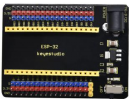
ESP32 Expansion Board*1 |
Keyestudio DIY Active Buzzer*1 |
keyestudio DIY Flame Sensor*1 |
|
|
|
|
|
|
Micro USB Cable*1 |
3P Dupont Wire*1 |
4P Dupont Wire*1 |
|



Connection Diagram

Test Code
from machine import Pin
import time

buzzer = Pin(15, Pin.OUT)
sensor = Pin(4, Pin.IN)

while True:
    Val = sensor.value()
    print(Val)
    if Val == 0:
        buzzer.value(1)
    else:
        buzzer.value(0)
    time.sleep(0.5)
Code Explanation
This flame sensor uses an analog pin and a digital pin. When a flame is detected, the digital pin outputs a low level. In this experiment we will use the digital port.
Test Result
Connect the wires according to the experimental wiring diagram and power on. Click  “Run current script”, the code starts executing. When the sensor detects the flame, the external active buzzer will emit sounds, otherwise the active buzzer will not emit sounds.
Press “Ctrl+C”or click  “Stop/Restart backend”to exit the program.